From here you can book your game console, controller repair with us
Game Console & Controller Repairs
Any PS5 Console, PS5 Controller
Any PS4 Console, PS4 Controller
Any Xbox Series Console, Xbox Series Controller
Any Xbox One Console, Xbox One Controller
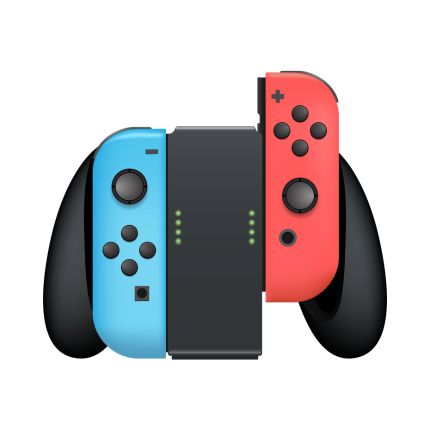
Any Nintendo Switch Console, Joy Con Controller
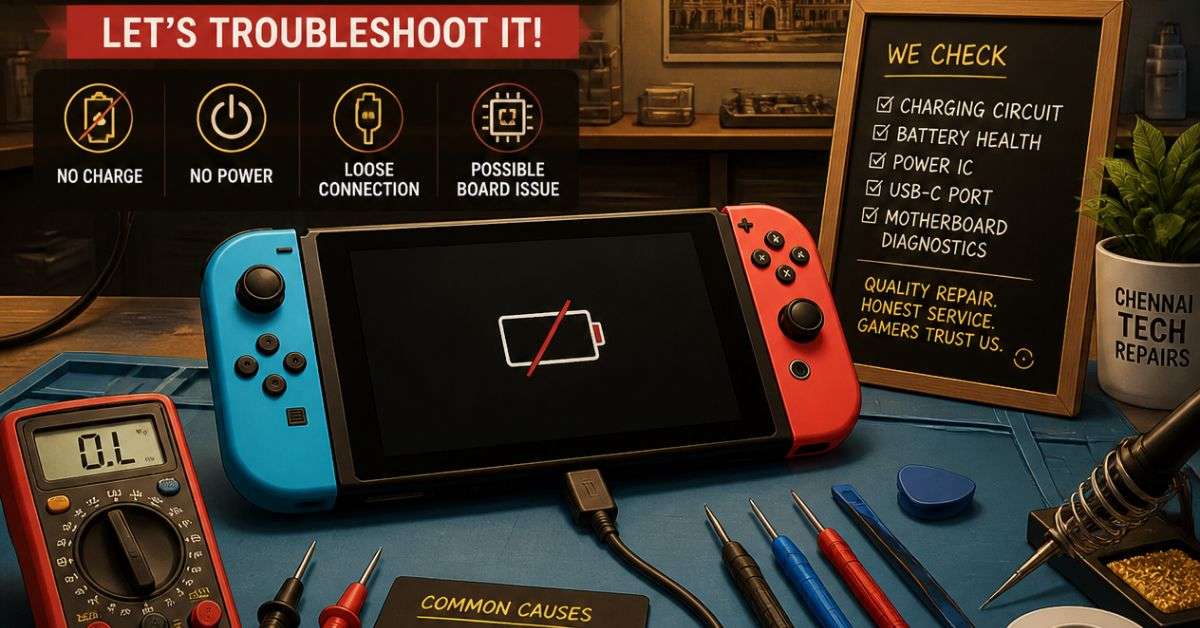
Nintendo Switch Not Charging or Turning On? Common Problems, Easy Fixes & Repair Options in Chennai
Picture this: You’re about to enjoy a relaxing gaming session with your Nintendo Switch. You pick up the console, press the power button, and nothing happens.
You connect the charger, hoping the battery is simply empty. But even after some time, the screen remains black.
It’s frustrating, especially when you don’t know whether the problem is with the charger, battery, or console itself.
If your Nintendo Switch is not charging or turning on, don’t assume it’s permanently damaged.
Some charging problems can be resolved with basic troubleshooting, while others may need professional repair.
At ConsoleFixit Chennai, gamers can enquire about Nintendo Switch repair services at our Vadapalani, Anna Nagar, Chromepet, and Arumbakkam locations.
Before arranging a repair, here’s what you should know.
Why Is Your Nintendo Switch Not Charging?
A Nintendo Switch may stop charging for several reasons. Sometimes it’s something simple, like a damaged adapter. Other times, the problem involves the USB-C charging port or an internal component.
Common causes include:
Faulty or incompatible charging adapters
Loose or damaged USB-C charging ports
Battery-related problems
Charging cable or power connection issues
Internal charging circuit faults
Temporary software or power management problems
The symptoms can provide useful clues, but identifying the exact cause often requires testing.
6 Things to Try When Your Nintendo Switch Won’t Charge
1. Reset the Nintendo Switch AC Adapter
Before assuming the console is faulty, try resetting the power adapter.
Nintendo recommends unplugging the adapter from both the power outlet and the console or dock.
Leave it disconnected for at least 30 seconds.
Then reconnect the adapter directly to a working wall outlet and connect it to your Nintendo Switch.
Check whether the charging indicator appears.
2. Make Sure You’re Using a Compatible Charger
Not every USB-C charger is suitable for every gaming device.
For the original Nintendo Switch family, Nintendo recommends its compatible AC adapter, model HAC-002.
Check the adapter and cable for visible damage, such as fraying, bent connectors, or loose connections.
If the adapter is damaged, stop using it.
A compatible replacement charger may resolve the problem without requiring a console repair.
3. Let the Battery Charge for at Least 30 Minutes
If your Nintendo Switch battery is almost completely empty, the console may not immediately display its normal startup screen.
Connect the appropriate charger directly to the console and allow it to charge for at least 30 minutes.
A small charging indicator may briefly appear on the screen.
After charging, try switching the console on again.
Avoid repeatedly disconnecting and reconnecting the charger during this test.
4. Force Restart Your Nintendo Switch
Sometimes the console may be unresponsive rather than physically damaged.
To perform a forced shutdown on the original Nintendo Switch family:
Disconnect the console from its dock.
Press and hold the power button for approximately 20 seconds.
Release the button.
Connect the charger.
Press the power button once to attempt restarting.
If the problem was caused by a temporary system freeze, the console may start normally.
Start your Buy, Sell, Repair Game Console. To find your closest store
Leave your mobile phone number and we will call you back
5. Inspect the USB-C Charging Port
The USB-C charging port is one of the most important parts of your Nintendo Switch.
Because the console is frequently connected and disconnected from charging cables and docks, the port can experience physical wear or damage.
Look carefully for visible damage around the connector.
Do not insert needles, metal objects, or cleaning tools into the charging port.
If the connector appears bent, loose, or damaged, have it inspected by a qualified technician.
6. Try Another Power Outlet
Sometimes the problem isn’t with the Nintendo Switch at all.
A faulty wall socket or loose power connection may prevent charging.
Try another suitable power outlet.
If you have access to another confirmed-compatible, undamaged Nintendo Switch charger, testing it may also help identify an adapter problem.
If none of these steps resolves the issue, professional diagnosis may be necessary.
Signs Your Nintendo Switch Charging Port May Be Damaged
Charging port problems can develop gradually or appear after an accidental impact.
Some warning signs include:
Charging only at certain angles: The console charges when the cable is positioned in one direction but stops when the cable moves.
Loose charging connection: The USB-C connector doesn’t sit securely in the charging port.
No charging indicator: The console doesn’t respond to a known-working compatible adapter.
Visible connector damage: The charging port appears bent, broken, or physically damaged.
These symptoms suggest a possible charging connection problem, but they do not confirm that the port itself needs replacement.
A technician should inspect the device before deciding which repair is necessary.
Can a Nintendo Switch Charging Port Be Repaired?
Yes. Depending on the extent of the damage, charging port replacement may be possible.
The USB-C connector is attached to the console’s main circuit board, so replacing it can require specialised soldering equipment and technical experience.
Attempting this repair without suitable equipment may damage nearby components.
At ConsoleFixit, customers can enquire about Nintendo Switch charging port diagnosis and available repair options.
The appropriate solution depends on the condition of the device.
Nintendo Switch Not Charging vs Battery Draining Quickly
These are two different problems.
If your Nintendo Switch doesn’t charge at all, the issue could involve the adapter, charging port, or charging circuitry.
If the console charges but runs out of power unusually quickly, the battery or power consumption may need investigation.
Battery life varies depending on the model, game, screen brightness, wireless connectivity, and age of the battery.
A battery that has deteriorated over time may eventually require replacement.
If your device becomes unusually hot, develops swelling, or produces an unusual smell, stop using and charging it. Arrange professional inspection rather than attempting further troubleshooting.
Nintendo Switch, Switch Lite & Switch OLED Repair in Chennai
Different Nintendo Switch models have different designs, but charging and power-related problems can affect all three.
ConsoleFixit handles enquiries concerning:
Nintendo Switch charging problems
Nintendo Switch Lite not turning on
Nintendo Switch OLED charging problems
USB-C charging port damage
Battery-related faults
Docking and display connection issues
Joy-Con controller problems
Other Nintendo console hardware issues
Contact the nearest ConsoleFixit branch with your model details to confirm the available repair options.
Find Nintendo Switch Repair Near You in Chennai
ConsoleFixit has four convenient locations across Chennai for gaming console and controller repair enquiries.
ConsoleFixit – Vadapalani
If you’re searching for Nintendo Switch repair in Vadapalani, our branch on Arcot Road is a convenient option.
Customers from Vadapalani and nearby areas can contact our team to discuss charging issues, controller problems, and console repairs.
Address: No. 159, KP Tower, 2nd Floor, Arcot Road, opposite Nexus Forum Vijaya Mall, Vadapalani, Chennai – 600026.
For gamers around Chromepet, Pallavaram, Tambaram, and surrounding areas, our Chromepet branch is a convenient option for Nintendo Switch repair enquiries.
Address: First Floor, Shop No. 2, Door No. 8, Vaishnava College Road, Shanthi Nagar, Chromepet, Chennai – 600044.
How Much Does Nintendo Switch Repair Cost in Chennai?
The repair cost depends on the nature of the problem.
For example, replacing a faulty charging adapter is different from repairing a damaged USB-C port or internal charging circuit.
The Nintendo Switch model, availability of replacement parts, and extent of damage can also affect pricing.
Before proceeding with a repair, ask your service provider for a diagnosis, estimated cost, turnaround time, and applicable repair warranty.
If the console is still covered by a manufacturer’s warranty, check your official service options before authorising third-party repairs.
Frequently Asked Questions About Nintendo Switch Repair
Why is my Nintendo Switch not charging even when plugged in?
Possible causes include a faulty adapter, damaged USB-C port, deeply discharged battery, or internal charging fault. Start by testing the compatible adapter and power connection.
Can a Nintendo Switch charging port be replaced?
Yes, replacement is technically possible on many Nintendo Switch models, depending on the condition of the circuit board and surrounding components.
How long should I charge a completely dead Nintendo Switch?
Connect a compatible charger and wait at least 30 minutes before trying to start the console. If it remains unresponsive, further troubleshooting may be necessary.
Can ConsoleFixit repair Nintendo Switch Lite and OLED models?
ConsoleFixit advertises Nintendo console repair services. Contact your nearest Chennai location to confirm availability for your specific model and fault.
Is Nintendo Switch battery replacement possible?
Battery replacement is possible on many Nintendo Switch models. A technician can assess whether the battery is actually responsible for the problem.
Where can I get Nintendo Switch repair in Chennai?
You can contact ConsoleFixit at Vadapalani, Anna Nagar, Chromepet, or Arumbakkam for Nintendo Switch repair enquiries.
Your Nintendo Switch Deserves Another Chance
A Nintendo Switch that won’t charge can make you worry about losing access to your favourite games and saved progress.
But a charging problem doesn’t automatically mean the entire console needs to be replaced.
Start with simple, safe troubleshooting. If the problem continues, have the device inspected before spending money on replacement parts.
Looking for Nintendo Switch repair in Chennai?
Contact your nearest ConsoleFixit branch and tell our team what’s happening with your console.
From charging issues to controller problems, we’re here to help you explore the available repair options.
ConsoleFixit – Keeping Chennai Gamers in the Game.



 PlayStation Repair
 Xbox Repair
 Nintendo Repair
 Virtual reality (VR) Repair
 Accessories Repair