From here you can book your game console, controller repair with us
Game Console & Controller Repairs
Any PS5 Console, PS5 Controller
Any PS4 Console, PS4 Controller
Any Xbox Series Console, Xbox Series Controller
Any Xbox One Console, Xbox One Controller
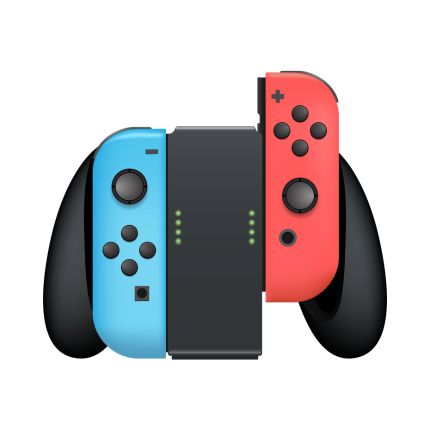
Any Nintendo Switch Console, Joy Con Controller
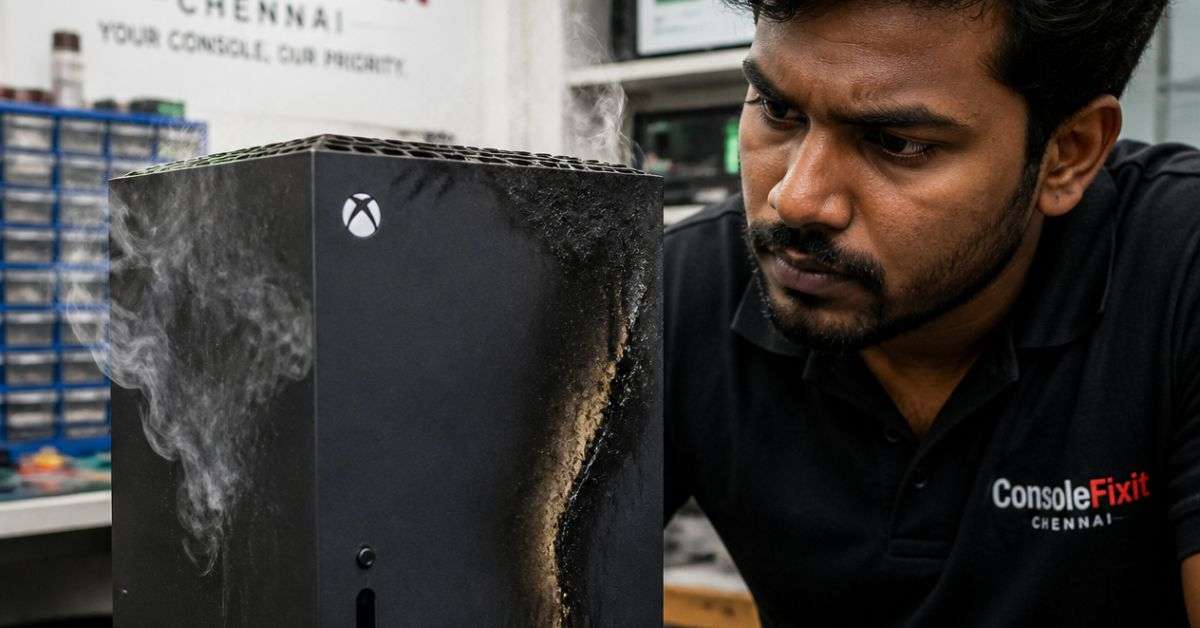
Xbox Overheating or Shutting Down While Gaming? Here’s What Chennai Gamers Need to Know
You’re halfway through an intense gaming session. Maybe you’re exploring the streets of Los Santos in GTA V, playing Forza Horizon, or competing with friends in Call of Duty.
Everything is running smoothly until your Xbox suddenly switches off.
You turn it back on, start your game again, and the same thing happens.
If your Xbox Series X, Series S, or Xbox One keeps overheating or shutting down, there could be several reasons behind the problem.
The good news? Not every unexpected shutdown means your gaming console is beyond repair.
At ConsoleFixit Chennai, we help gamers find repair support for Xbox consoles and controllers. Whether you’re experiencing overheating, power failures, or unusual fan noises, understanding the symptoms is the first step toward finding a solution.
Why Does an Xbox Overheat?
Xbox consoles generate heat while running games. That’s normal.
The cooling system is designed to move heat away from important internal components so the console can operate safely.
However, when cooling becomes less effective, the temperature inside the console may rise beyond its normal operating range.
In some situations, the console may shut down to protect its hardware.
Overheating is one possible cause of shutdowns, but power supply problems, software settings, and other faults can produce similar symptoms.
Let’s look at the most common reasons.
5 Common Reasons Your Xbox Keeps Overheating
1. Dust Blocking the Cooling System
Over time, dust can collect around ventilation openings, cooling fans, and internal components.
If airflow becomes restricted, the console may struggle to remove heat efficiently.
This is particularly worth checking if your Xbox has been used regularly for several years without maintenance.
2. Poor Ventilation Around Your Console
Where you place your Xbox matters more than you might think.
Keeping your Xbox inside a tightly enclosed cabinet, directly against a wall, or on a soft surface can restrict airflow.
Microsoft recommends keeping ventilation openings clear and allowing sufficient space for air to circulate.
A well-ventilated gaming setup can help prevent unnecessary heat buildup.
3. Cooling Fan Problems
Your Xbox uses a cooling fan to move air through the system.
If the fan becomes obstructed, damaged, or stops functioning properly, cooling performance may be affected.
Unusual grinding noises or an apparent lack of fan operation can be useful symptoms to report to a technician.
4. Internal Cooling System Problems
Sometimes the external vents look clean, but the console still experiences overheating warnings or shutdowns.
The problem may involve internal dust accumulation, poor heat transfer, or another cooling-system fault.
Diagnosing these issues may require professional inspection.
Start your Buy, Sell, Repair Game Console. To find your closest store
Leave your mobile phone number and we will call you back
5. Power Supply or Electrical Issues
An Xbox that switches off unexpectedly isn’t necessarily overheating.
A damaged power cable, unstable power connection, or power supply fault may cause similar behaviour.
This is why it’s important to investigate the actual cause before replacing cooling components.
6 Things to Try Before Taking Your Xbox for Repair
Before visiting a gaming console service centre, you can perform a few basic checks at home.
1. Switch Off Your Xbox and Allow It to Cool
If your Xbox displays an overheating warning or shuts down unexpectedly during gameplay, turn it off and allow it to cool completely.
Avoid repeatedly restarting a console that continues to report overheating.
2. Move Your Xbox to an Open Area
Make sure the console isn’t surrounded by objects that block its airflow.
Place it on a firm, stable surface away from direct sunlight and other heat sources.
Avoid keeping the Xbox on beds, sofas, blankets, or inside a closed cabinet.
3. Inspect the External Ventilation Openings
Look for visible dust buildup around the ventilation openings.
With the console turned off and unplugged, gently remove accessible surface dust using a soft, dry cloth.
Do not insert objects into the vents, pour liquid into the console, or attempt internal cleaning without appropriate expertise.
4. Check the Power Connection
Make sure the power cable is securely connected.
If the cable appears damaged, stop using it.
Where appropriate, test a suitable wall outlet to help rule out an external power connection problem.
Never open or attempt to repair the internal power supply yourself.
5. Check Whether the Shutdown Happens Only During One Game
If the console remains stable on the home screen but shuts down during a particular game, note the title and circumstances.
Software problems can sometimes resemble hardware failures.
Check for available Xbox system updates and game updates.
If you receive an overheating warning, however, prioritise cooling and ventilation rather than continuing to test demanding games.
6. Seek Professional Diagnosis if the Problem Continues
If your Xbox continues to overheat or shut down despite proper ventilation, it may require a hardware inspection.
A technician can assess whether the issue relates to the cooling fan, internal dust, power delivery, or another component.
Xbox Series X vs Xbox Series S – Can Both Experience Overheating?
Yes. Both systems generate heat while gaming and depend on effective cooling.
Although the Xbox Series X and Series S have different designs and hardware configurations, either can experience problems when airflow becomes obstructed or a cooling component develops a fault.
A properly functioning console may exhaust warm air during demanding games. Warm exhaust alone doesn’t mean it is overheating.
Repeated unexpected shutdowns, overheating warnings, or unusual mechanical noises are better reasons to investigate.
Professional Xbox Repair Services in Chennai
When basic troubleshooting doesn’t solve the problem, professional diagnosis can help determine whether your console needs servicing or component replacement.
At ConsoleFixit, customers can enquire about a variety of Xbox-related problems, including:
Xbox Series X overheating
Xbox Series S unexpectedly shutting down
Xbox One power-related problems
Console not turning on
Cooling fan problems
Xbox HDMI display issues
Xbox controller repair
Console cleaning and maintenance
The appropriate repair depends on the specific fault and the condition of the device.
Find Your Nearest ConsoleFixit Xbox Repair Centre in Chennai
ConsoleFixit has four Chennai locations for gaming console repair enquiries.
ConsoleFixit – Vadapalani
Searching for Xbox repair near Vadapalani?
Our Vadapalani branch is conveniently located on Arcot Road, opposite Nexus Forum Vijaya Mall.
Customers from Vadapalani and surrounding neighbourhoods can contact the branch to enquire about Xbox repair services.
Address: No. 159, KP Tower, 2nd Floor, Arcot Road, opposite Nexus Forum Vijaya Mall, Vadapalani, Chennai – 600026.
How Much Does Xbox Overheating Repair Cost in Chennai?
The cost depends on what is actually wrong with the console.
A system that only requires cleaning may need different work from an Xbox with a damaged cooling fan or power-related fault.
A proper inspection is important because replacing parts unnecessarily can increase the repair cost without solving the problem.
Before proceeding with a repair, ask for information about the diagnosis, quotation, replacement parts, and expected service time.
Frequently Asked Questions About Xbox Repair in Chennai
Why does my Xbox Series X shut down while playing games?
Possible causes include overheating, restricted ventilation, power delivery problems, or software issues. A shutdown by itself doesn’t prove the console is overheating.
Can dust cause an Xbox to overheat?
Yes. Significant dust accumulation can obstruct airflow and interfere with the cooling system.
Is it normal for Xbox Series X to release hot air?
Yes. Warm air leaving the exhaust vents is expected during operation. Repeated overheating warnings or shutdowns are more concerning.
Can Xbox overheating problems be repaired?
Many cooling-related problems can be addressed through appropriate cleaning or hardware repair. The solution depends on the diagnosed fault.
Where can I repair my Xbox in Chennai?
You can contact ConsoleFixit at its Vadapalani, Anna Nagar, Chromepet, and Arumbakkam locations for Xbox repair assistance.
How long does Xbox repair take?
Repair time depends on the fault, technician assessment, and parts availability. Contact your preferred branch for an estimate.
Keep Your Xbox Running – Get the Right Repair Advice
An Xbox that suddenly switches off can interrupt your favourite games and leave you wondering whether you need to buy a new console.
Before spending money on a replacement, investigate the problem.
Sometimes the solution involves improving ventilation or correcting a simple connection issue. In other cases, professional repair may be required.
If your Xbox is overheating, shutting down, or experiencing another hardware problem, ConsoleFixit Chennai is here to help you explore your repair options.
Choose your nearest branch in Vadapalani, Anna Nagar, Chromepet, or Arumbakkam and submit a service enquiry.
ConsoleFixit – Keeping Chennai Gamers in the Game.




 PlayStation Repair
 Xbox Repair
 Nintendo Repair
 Virtual reality (VR) Repair
 Accessories Repair