From here you can book your game console, controller repair with us
Game Console & Controller Repairs
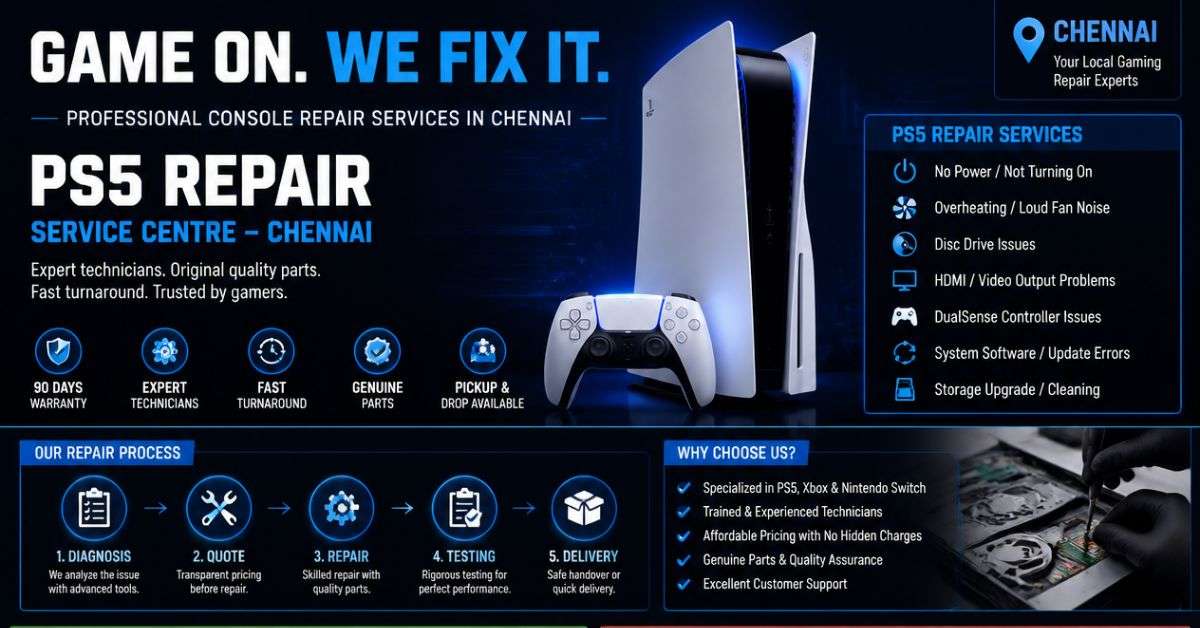
Any PS5 Console, PS5 Controller
Any PS4 Console, PS4 Controller
Any Xbox Series Console, Xbox Series Controller
Any Xbox One Console, Xbox One Controller
Any Nintendo Switch Console, Joy Con Controller
PS5 Turns On but No Display? Here’s What Chennai Gamers Should Know Before Getting It Repaired
You finally get some free time, pick up your PS5 controller, switch on the console, and get ready to play. The PlayStation lights up, but your television displays two frustrating words: No Signal.
You check the HDMI cable, restart your television, and try switching the console on again. Still nothing.
If this sounds familiar, you’re not alone. A PlayStation 5 can develop display problems for several reasons, and a damaged HDMI port is only one possibility.
At ConsoleFixit Chennai, we understand how frustrating these problems can be. Before assuming your console needs an expensive repair, it’s worth understanding what might be happening and what you can safely check at home.
Why Is Your PS5 Showing No Signal on Your TV?
Your PS5 uses an HDMI connection to send video and audio to your television or gaming monitor.
When something interrupts that connection, you may experience a completely black screen, a flickering picture, or a No Signal message.
Some possible causes include:
A loose or damaged HDMI cable
Incorrect HDMI input selected on the television
A faulty HDMI port on the TV or gaming monitor
Incompatible video output settings
Physical damage to the PS5 HDMI port
Internal display-signal circuitry problems
The important thing to remember is that a No Signal message does not automatically mean your PS5’s HDMI port is broken.
A few simple checks can help narrow down the issue.
7 Things to Check Before Taking Your PS5 for HDMI Repair
1. Check Your Television’s HDMI Input
This might sound obvious, but it’s an easy mistake to make.
If your PS5 is connected to HDMI 2 and the television is displaying HDMI 1, the screen may show No Signal even when the console is working normally.
Use your television remote to select the correct HDMI input before trying anything else.
Start your Buy, Sell, Repair Game Console. To find your closest store
Leave your mobile phone number and we will call you back
2. Try a Different HDMI Cable
HDMI cables can become damaged through repeated bending, twisting, or movement.
If you have another compatible cable, try connecting it to your PS5.
Make sure both ends are securely connected without forcing them.
If the picture returns with a different cable, you may have found the problem without needing a console repair.
3. Connect the PS5 to Another HDMI Port or Display
Sometimes the problem is with the television rather than the gaming console.
Try another HDMI input on the same television. If possible, test the PS5 with a different television or monitor.
If the PS5 works on another display, investigate the original television’s HDMI port or display settings before arranging a console repair.
4. Remove HDMI Splitters and Other Connected Devices
Are you using an HDMI splitter, capture card, home theatre receiver, or another device between the PS5 and television?
Try connecting the console directly to the display.
Intermediate devices can sometimes cause video signal compatibility problems.
5. Completely Restart Your PS5 and Television
Switch off both devices completely and disconnect them from power.
Allow them to remain off before reconnecting everything and checking whether the picture returns.
Sony’s official troubleshooting guidance recommends a full power restart as one of the steps for resolving picture issues.
6. Check Video Output Settings Using Safe Mode
If the console powers on normally but isn’t displaying a picture, certain video output settings may be responsible.
On the PS5, Safe Mode provides options such as changing the video resolution.
To attempt this:
Turn off the PS5 completely.
Press and hold the power button until you hear the second beep.
Connect your controller using a compatible USB cable.
Press the PS button and select Change Video Output, if Safe Mode is visible.
Avoid selecting reset or reinstall options unless you understand their consequences, as certain recovery actions can erase your data.
If the Safe Mode screen also fails to appear, professional diagnosis may be necessary.
7. Look for Visible HDMI Port Damage
With the PS5 turned off and unplugged, carefully inspect the HDMI port without inserting anything into it.
Look for signs such as a bent connector, visible damage, or a cable that no longer fits securely.
Do not attempt to straighten internal pins with needles or metal objects. This could cause further damage to the connector or motherboard.
If the port appears damaged, having it professionally inspected is the safer option.
When Does a PS5 Need HDMI Port Replacement?
A faulty HDMI port may be the cause when your PS5 powers on but consistently fails to display a picture, especially if other cables and displays have already been tested.
A damaged port may require specialised tools and soldering work because the connector is attached to the console’s circuit board.
However, an HDMI connector replacement won’t solve every display problem. The fault could also involve another component in the video output circuit.
That’s why proper diagnosis should come before replacing parts.
At ConsoleFixit, you can enquire about PS5 HDMI port inspection and repair in Chennai to determine the appropriate next steps.
Can a PS5 HDMI Port Be Repaired Without Replacing the Console?
In many cases, a physically damaged HDMI connector can be replaced without replacing the entire PlayStation 5.
Whether repair is practical depends on the condition of the connector, surrounding circuit board, and related components.
The final repair recommendation should be based on inspection rather than symptoms alone.
If your PS5 is still covered by the manufacturer’s warranty, check the official PlayStation service options before authorising third-party work.
PS5 HDMI Repair Services Across Chennai – Find Your Nearest ConsoleFixit
Travelling across Chennai with a gaming console can be inconvenient, particularly when you’re already dealing with a hardware problem.
ConsoleFixit has four Chennai locations where customers can make gaming console repair enquiries.
ConsoleFixit Vadapalani
Convenient for gamers around Vadapalani, Saligramam, Kodambakkam, and nearby neighbourhoods.
Location: Arcot Road, opposite Nexus Forum Vijaya Mall, Vadapalani, Chennai – 600026.
What Should You Tell a Technician About Your PS5 Display Problem?
When you contact a gaming console repair shop, sharing a few details can make the initial assessment easier.
Mention your PS5 model, whether the console powers on, the colour of its power indicator, and whether the HDMI cable or port has been damaged.
You should also explain what troubleshooting you’ve already tried.
For example:
“My PS5 turns on and the white light stays on, but the TV shows No Signal. I tested two HDMI cables and another television, but the problem is still there.”
This is far more useful than simply saying your PlayStation isn’t working.
How Much Does PS5 HDMI Port Repair Cost in Chennai?
The price of a PS5 HDMI repair depends on the nature of the fault, the console model, replacement parts, and the work required.
A straightforward connector problem may need different work from a damaged circuit board.
Rather than relying on an estimated price online, contact your nearest ConsoleFixit branch and request an assessment.
Ask about the repair quotation, expected completion time, parts availability, and any applicable service warranty before approving the work.
Frequently Asked Questions About PS5 HDMI Repair
Why does my PS5 turn on but show a black screen?
Possible reasons include an HDMI connection problem, incorrect display settings, television compatibility issues, or an internal hardware fault. Check the cable and television input first.
Can a damaged PS5 HDMI port be replaced?
Yes, HDMI port replacement is technically possible on many PS5 consoles. However, the condition of the motherboard and surrounding components must be assessed before deciding on a repair.
Does a No Signal error always mean the HDMI port is broken?
No. The error can also be caused by a faulty cable, television input, video output setting, or other display-related problem.
Where can I find PS5 HDMI repair in Chennai?
You can contact ConsoleFixit at its locations in Vadapalani, Anna Nagar, Chromepet, and Arumbakkam to enquire about PS5 HDMI diagnosis and repair services.
Will HDMI repair delete my PS5 games?
A hardware connector replacement does not normally require erasing the console’s storage. However, no repair should be assumed completely risk-free for stored data. Discuss data protection and backup options with the service team.
Don’t Replace Your PS5 Before Understanding the Problem
A black screen can make it feel like your PlayStation has stopped working completely. But that doesn’t always mean the console is beyond repair.
Sometimes the solution is as simple as changing a cable or adjusting a video setting. Other times, a damaged connector or internal component needs professional attention.
The best approach is to identify the problem before spending money on replacement parts or a new console.
Looking for PS5 HDMI port repair in Chennai?
Get in touch with ConsoleFixit and choose your nearest branch in Vadapalani, Anna Nagar, Chromepet, or Arumbakkam.
ConsoleFixit – Your Gaming Console Repair Partner in Chennai.



 PlayStation Repair
 Xbox Repair
 Nintendo Repair
 Virtual reality (VR) Repair
 Accessories Repair